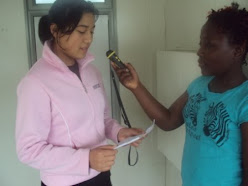
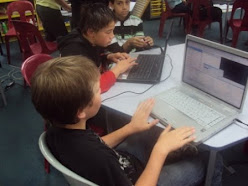
Sam animation is free downloadable software to create animation that is quick and easy to use. As always the learning needs to be at the forefront so how can this e-learning tool enhance students learning? Well the opportunities are endless for example in literacy using this to retell a story, creating a story from infering a meaning from a text etc. In maths students could use this animation to solve problems and show their thinking. These are just a few examples.
Friday, February 26, 2010

Thursday, February 11, 2010
Publishing Goals
After looking around other schools blogs with my class this week, the students decided that they wanted to publish their goals to their blogs. They also insisted that I posted my goal as well. After discussing teacher inquiry at our most recent staff meeting I thought why not. I am wanting my Inquiry to focus on students using co-construction success criteria to measure their own success and create their own next steps. I am trailing using the Habits of Mind to help students to identify goals that will help them to develp skills to be life long learners. In order for this to be successful I needed to make my students aware that I am a learner as well and we are all on learning journeys. So here is my goal:
Here are some examples from my students
Saturday, February 6, 2010
Prezi.com
What an excellent start to the year. This week we have been mind mapping using www.prezi.com. Prezi offers educators and students special free accounts with larger storage space. You are able to embed your mindmap into your blogs for others to see. It is a easy user friendly programme. When you sign up there is a series of short movies that you can watch that teach you how to use it. However, if you are like me the best way that you learn is by having a play. Although I teach Year 7 and 8, I believe that this programme could be used at any year level as it does offer you the opportunity to insert pictures and group ideas together.
Sunday, January 31, 2010
NetGuide - Youngsters gripped by technology
NetGuide - Youngsters gripped by technology
This is a must read for parents and educators. It confirms the importance of digital education to keep our students switched on when they walk into the classroom. Share with me your thoughts.
This is a must read for parents and educators. It confirms the importance of digital education to keep our students switched on when they walk into the classroom. Share with me your thoughts.
Thursday, January 28, 2010
Inspired Impact Conference Day 1
Conferences are always inspiring, hundreds of educators get together discuss their views and share ideas. This is what I love the most about attending conferences "Networking". Lots of trade stalls all handing out things for free, have myself another years supply of pens, a large amount of chocolate and even a rugby ball. However there is more to an educational conference than free trade stalls and have lunch with your co-workers. To me it is about listening, engaging and implimenting the main message. After several workshops during the day sometimes these messages get lost however today I have come away with some key points to ponder and look towards implementing them in my classroom this year.
Dr Anne Davies alerted me to the fact of co-construction of success criteria and making sure that the students expectations are the same as the teacher.
Dorothy Burt from Point England School in Auckland, was the most inspiring speaker of the day. I attended her workshop on 'Literacy in the Digital Age'. She discussed the literacy cycle, and the need for quality teaching, creating the digital object, then publishing it online to recieve feedback. By publishing it online not only do students recieved feedback but they also reinforce learning by watching it over and over again.
Dorothy raised two very important questions that I believe every educator should ask themselves and then think about their response.
Dr Anne Davies alerted me to the fact of co-construction of success criteria and making sure that the students expectations are the same as the teacher.
Dorothy Burt from Point England School in Auckland, was the most inspiring speaker of the day. I attended her workshop on 'Literacy in the Digital Age'. She discussed the literacy cycle, and the need for quality teaching, creating the digital object, then publishing it online to recieve feedback. By publishing it online not only do students recieved feedback but they also reinforce learning by watching it over and over again.
Dorothy raised two very important questions that I believe every educator should ask themselves and then think about their response.
- What do our students do when they are at home?
- Have our kids failed at school or have we failed them?
Dorothy was also the keynote speaker after lunch, her address was "Heating up the 21st Century".
Main Points
- Plan, Process, Produce, Publish
- We need to be aware of digital citizenship
- Teach digital literacy
Well that is a lot for one day and I am well ready and excited for tomorrow.
Thursday, January 21, 2010
i-Pod Touch
After following what Nick Rate has been saying regarding the i-pod touch I thought it was time to purchase one myself and add my thoughts.
After only a week I have been blown away with the opportunities that it has for the classroom. The instant access to the Internet allows you to access information instantly along with sharing your own ideas.
I am amazed with the free applications, at present I have been using the skype application, TVNZ and many more. Unfortunately blogger does not match with word press, that I can work out, so it makes updating our blogs difficult. However the ease to upload photos and share on web is efficient.
I found it easy to set up email and now have instant access to work email. It has made me excited to see how the i-phone could be used in the classroom. With the camera and videoing functions, the constant access to call people, anytime access to the internet, to me it seems like the logical next step in the classroom. It raises this question in my mind, will we see the days of computers leave the classroom and hand held devices, such as i-phones and i-pod touches, revolutionise the classroom learning?
I am keen to use my i-pod touch in the classroom and see how the students repond to it. At the moment I am so hooked that I imagine that they will be to.
After only a week I have been blown away with the opportunities that it has for the classroom. The instant access to the Internet allows you to access information instantly along with sharing your own ideas.
I am amazed with the free applications, at present I have been using the skype application, TVNZ and many more. Unfortunately blogger does not match with word press, that I can work out, so it makes updating our blogs difficult. However the ease to upload photos and share on web is efficient.
I found it easy to set up email and now have instant access to work email. It has made me excited to see how the i-phone could be used in the classroom. With the camera and videoing functions, the constant access to call people, anytime access to the internet, to me it seems like the logical next step in the classroom. It raises this question in my mind, will we see the days of computers leave the classroom and hand held devices, such as i-phones and i-pod touches, revolutionise the classroom learning?
I am keen to use my i-pod touch in the classroom and see how the students repond to it. At the moment I am so hooked that I imagine that they will be to.
Tuesday, December 1, 2009
Exploring Photo Storage and Sharing
Setting up for the roll out of the digital room for 2010, I have been exploring some photo sharing sites and evaluating the educational purpose of them. It has been quite an adventure. I have had a clear idea of what it is that I wanted, with the main focus in mind that I wanted it to fit with the www of learning. Whenever, Whatever and Wherever. I have narrowed my options down to flickr and photobucket here is what I have found.
Flickr:
Flickr:
- Limited storage space
- Videos can only upload to 90 secs
- has a wide range of images that can be searched, excellent motivators for writing
- Easy to organise photos
Photo Bucket:
- Easy to upload
- stores up to 500 photo free with an hour of video
- easy to be creative, slide shows, editing, creating scrapbooks of photos
- links well with blogger for the purpose of e-portfolio
So my decision, PHOTO BUCKET.
It took me seconds to make the following slide show once I had uploaded my photos. The plan next year will be to have each student have their own photobucket account and upload photos there and create through this means. This provides students access to photos that they can then share to their e-portfolio.
div style="width:480px; text-align: center;">

Subscribe to:
Posts (Atom)